
Upload a product · Describe the set
Generate a New Background Around Your Product with AI
This AI background generator builds a fresh set behind the item in your photo: a marble counter, a pastel podium or a cozy holiday table. Describe the scene in one sentence and compare it with your original shot.
1 credit per 1K result · Free credits refresh every 24 hours

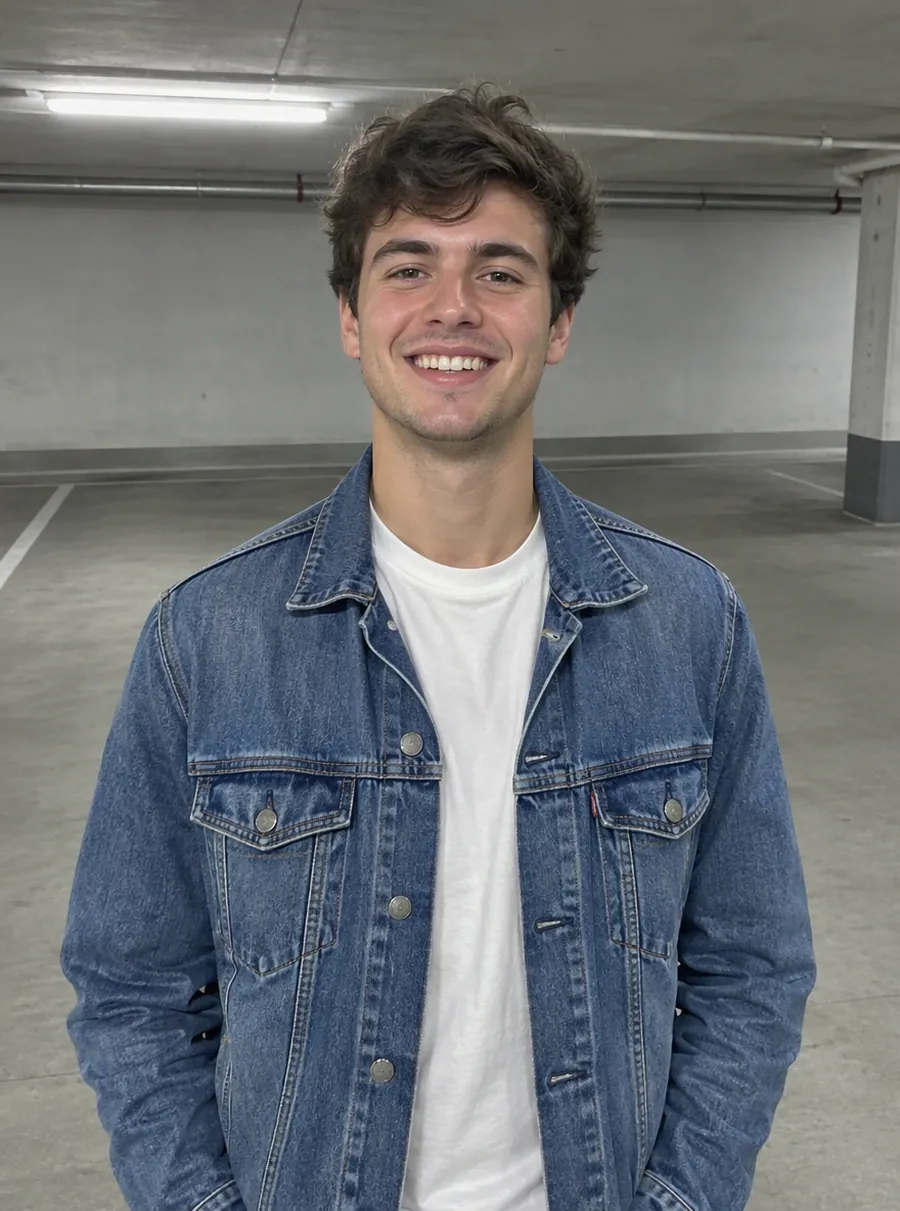
Prompt: “Change the background to a sandy beach at sunset”
More examples, with the details to check
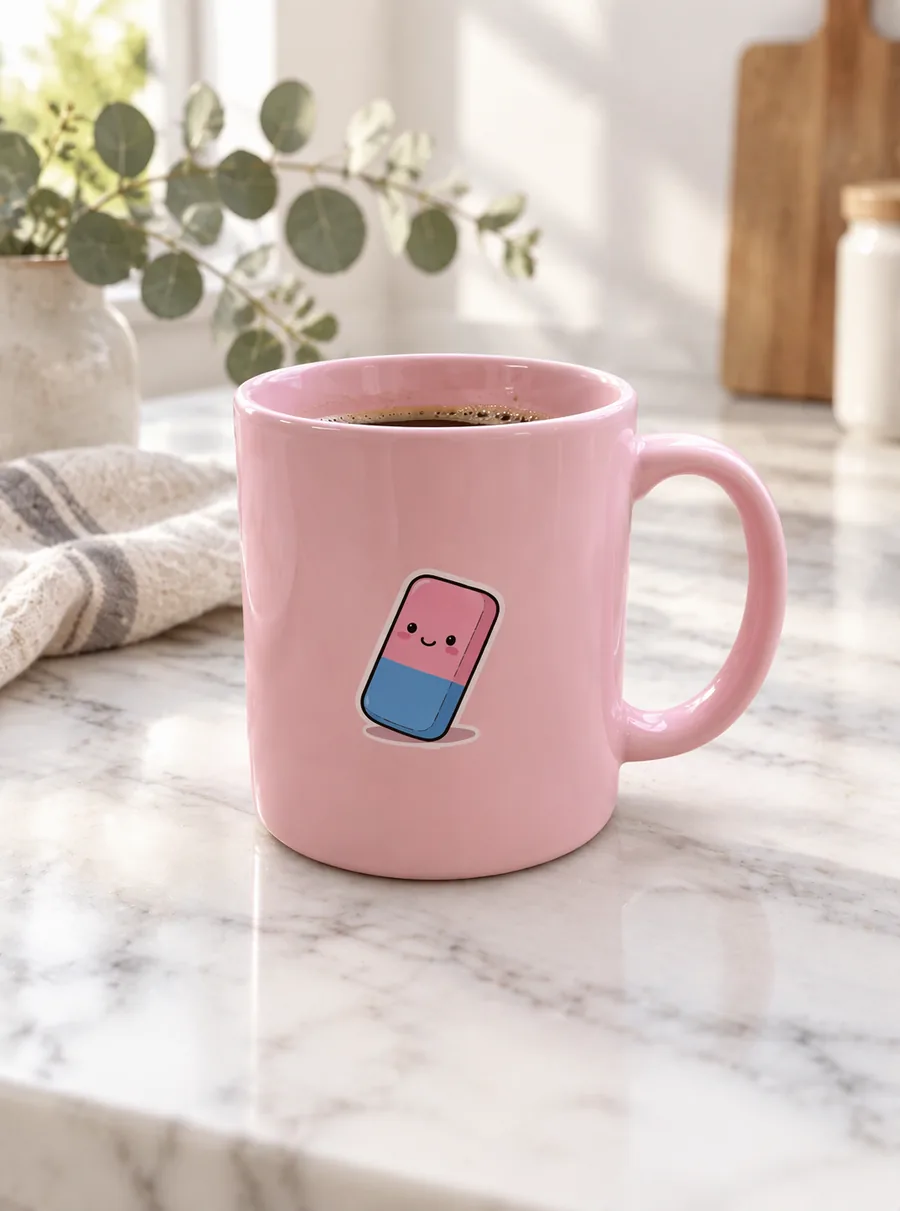
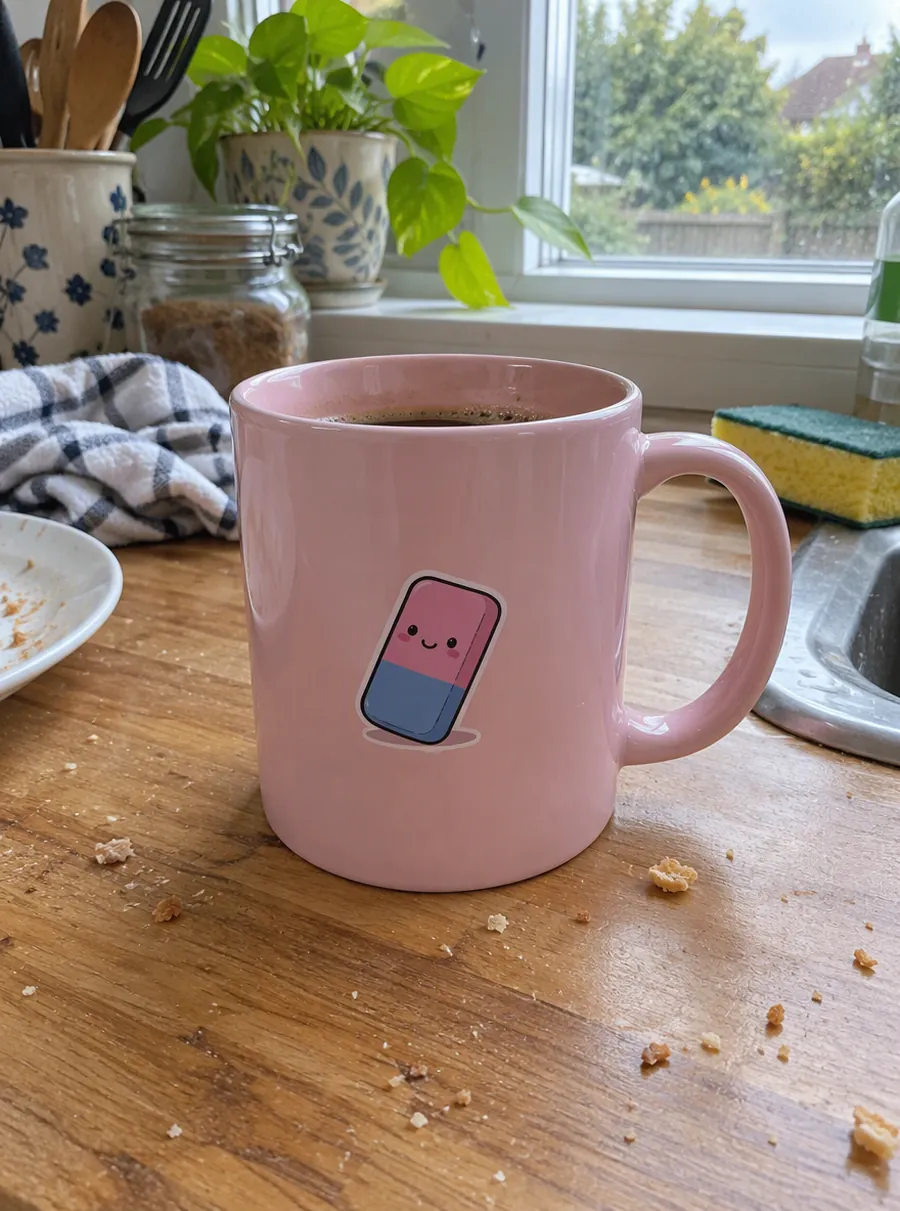
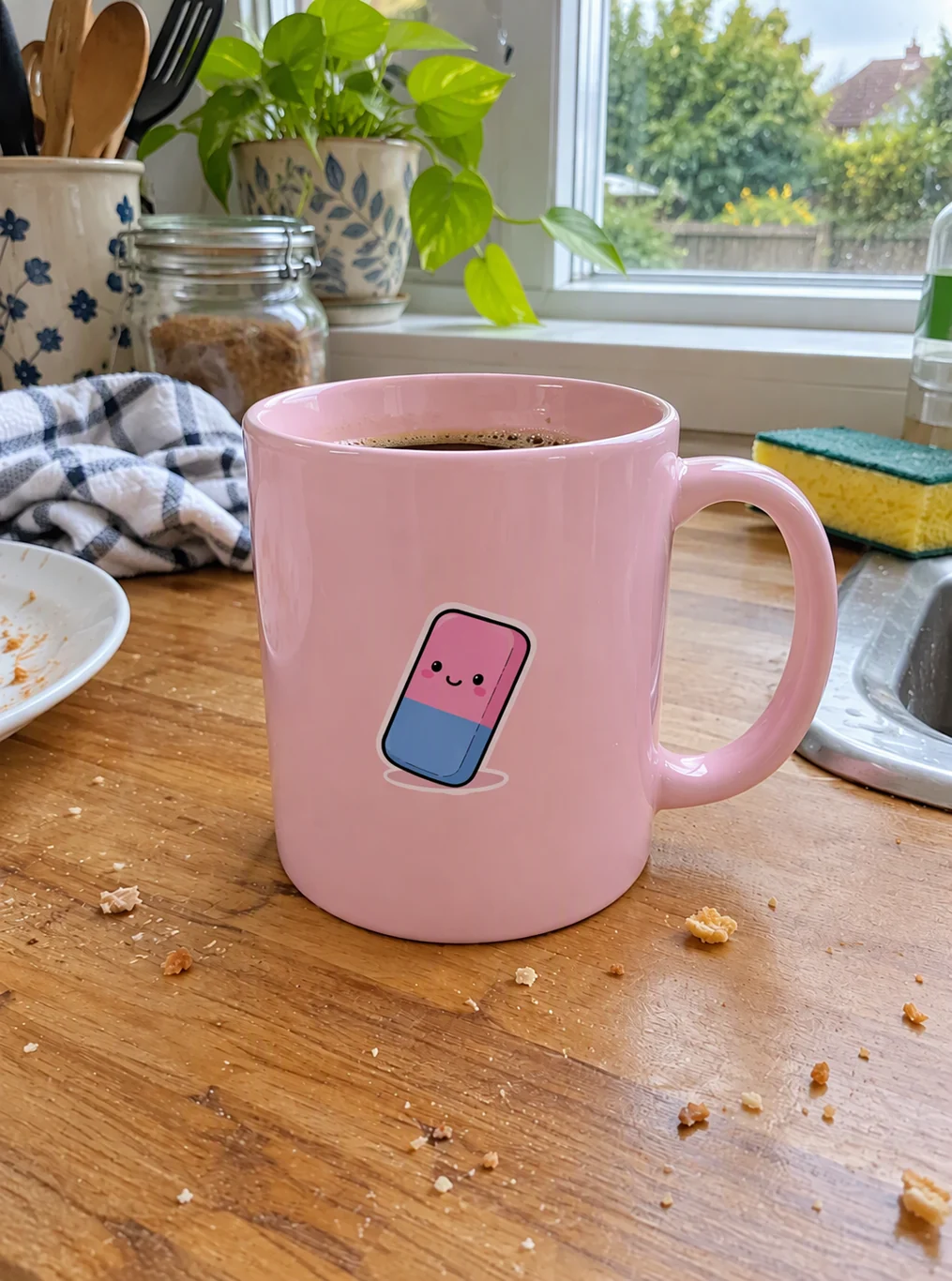
Actual AI output. The mug, handle and printed eraser stay close to the original; the framing and the coffee surface are redrawn.
Prompt: Replace the background with a white marble kitchen counter in soft morning window light, a small eucalyptus sprig and a linen napkin softly blurred behind. Keep the pink ceramic mug exactly as it is. Add a natural contact shadow under the mug.
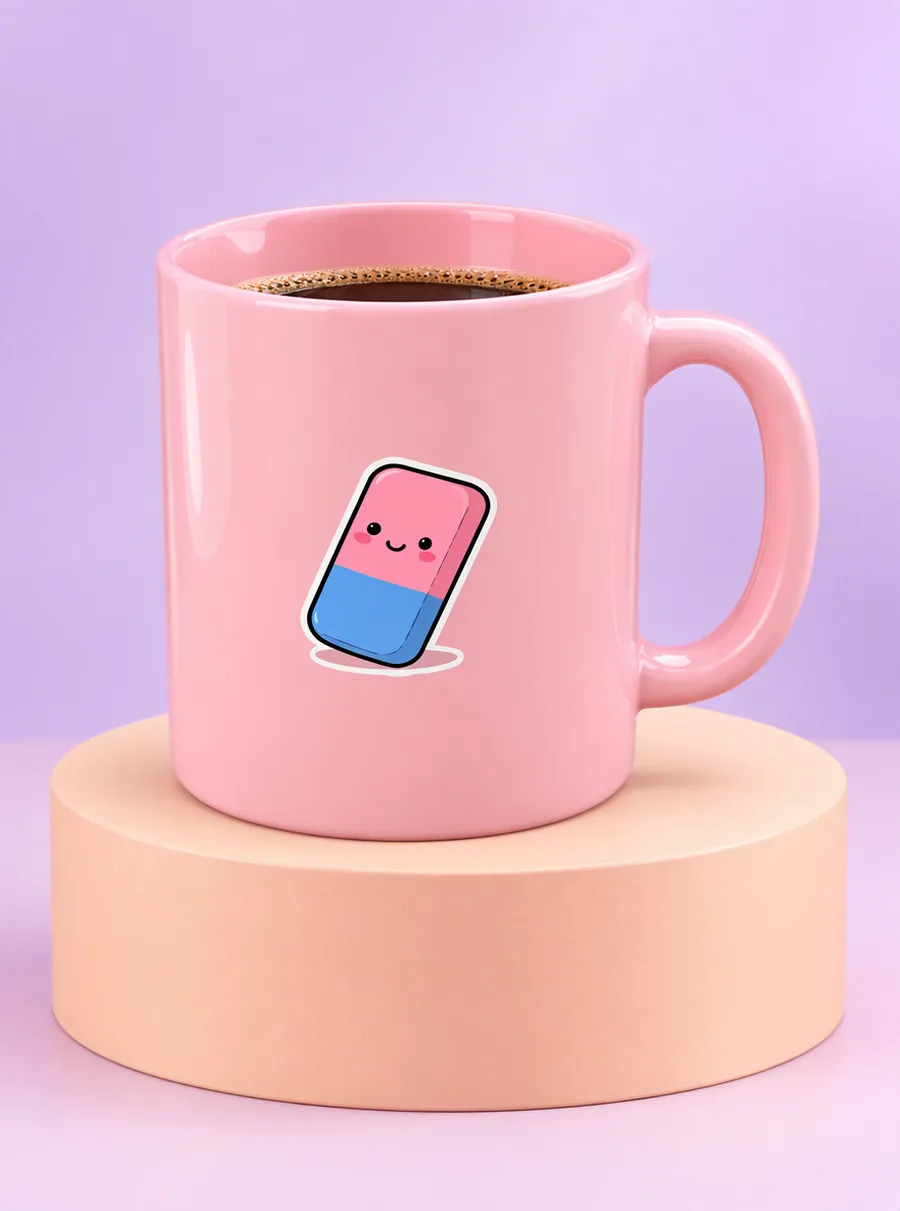
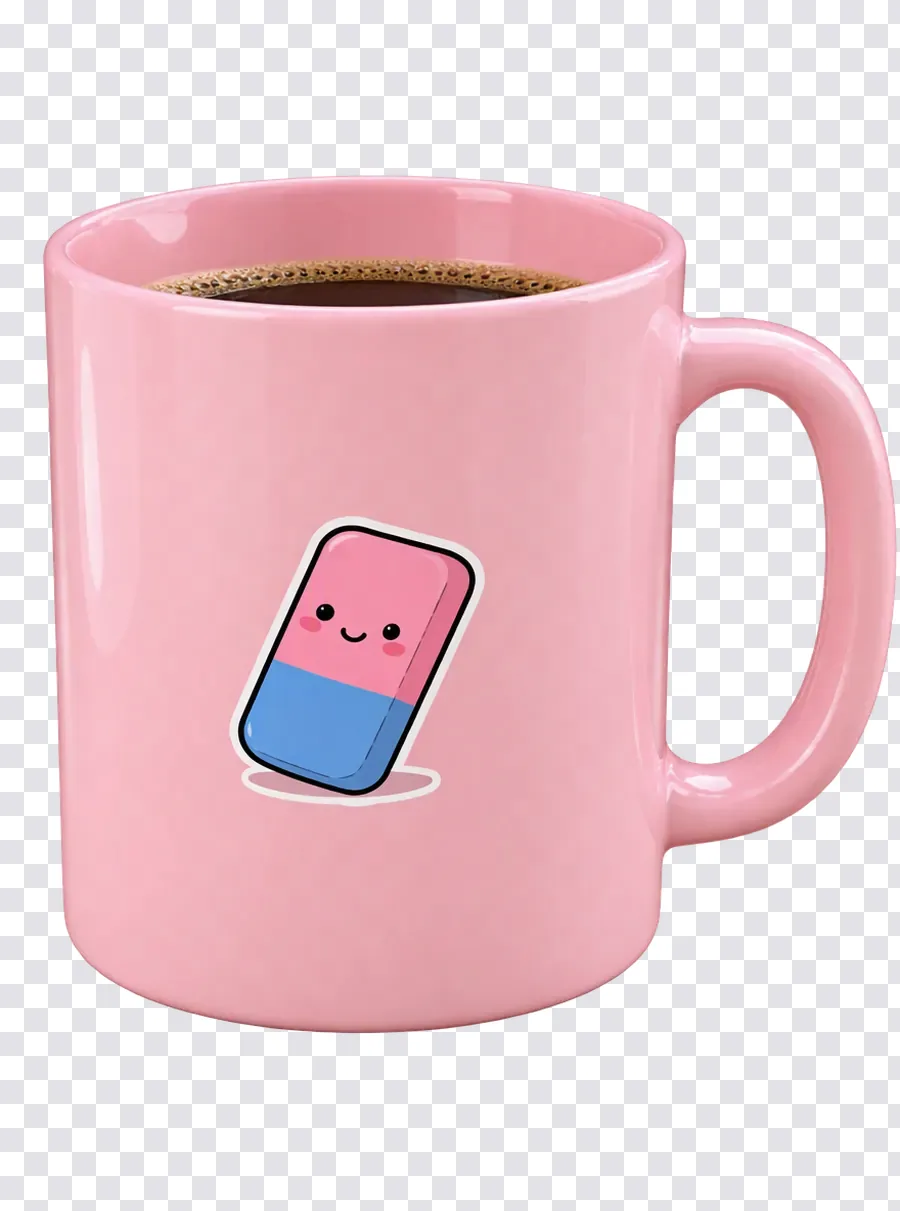
Started from a transparent cutout (shown on a checkerboard). The mug is slightly larger in frame; compare the artwork and the rim.
Prompt: Place this pink ceramic mug on a pastel peach cylinder podium in a clean studio set with a soft lilac gradient backdrop, gentle diffused light and a soft shadow under the mug. Keep the mug exactly as it is.

Actual AI output. Busy seasonal props can pull attention; check that the product stays the clear subject.
Prompt: Replace the background with a cozy winter holiday scene: a wooden table with a knitted blanket, pine branches, warm string lights glowing out of focus. Keep the pink ceramic mug exactly as it is, with a natural shadow on the table.
From a plain product shot to a styled scene
You do not need a studio, props or a second photo shoot. One clear picture of the product and one written description are the only inputs. The edit runs on the whole image, so the generated set, the light and the shadow under the item are produced together instead of being pasted in layers.
Pick the photo of your item
Free accounts can upload JPG, PNG or WebP files as large as 20 MB, and Ctrl+V pastes a copied picture. A sharp, evenly lit photo is the best starting point. A transparent PNG cutout also works; if your shot has a messy room behind it, you can isolate the item first with the remove background tool and bring the cutout here.
Describe the set, the surface and the light
Write where the product stands, what is around it and how the light falls. "On a white marble counter, soft morning window light, a eucalyptus sprig blurred behind" tells the model all three. Add "keep the mug exactly as it is" or name the label you care about, so the instruction says what must stay.
Check the item, then try another set
Drag the slider and look at the product first: shape, handle, printed artwork, color. Then judge the scene. To try a different background, start again from the same original rather than from the last result, so small changes do not pile up from one version to the next.
Background ideas for product listings and campaigns
A background generator is most useful when you need many looks for one item and cannot photograph each of them. Think of it as an AI background maker for the shots you never had time to stage. These are the jobs it handles well.
Studio podiums and color sets
Clean sets with a cylinder or block podium and a soft gradient wall give a catalog a consistent look. Pick one color family for the whole range, for example "peach podium, lilac backdrop", and run the same prompt on every product so the grid reads as one collection.
Lifestyle surfaces
Kitchenware on a marble counter, candles on a bedside table, sneakers on a city sidewalk. A lifestyle setting shows the size and the use of an item in a way a plain backdrop cannot. Keep the props secondary and ask for them "softly blurred" so the product remains the clear subject.
Seasonal and campaign scenes
Holiday tables, spring flowers, summer beach towels: an AI background lets you refresh the same product photo for each campaign without a new shoot. Generate the seasonal versions from your original, not from each other, and keep the light direction the same as in the source picture.
Social posts and ads
Feeds reward variety. Generate a few sets for one item, compare them side by side and keep the ones where the product looks most natural. For marketplaces with strict main-image rules, use your styled scenes for secondary images and check each platform's requirements first.
Prompts for an AI product background generator
Each line below is a complete product photo background request. Copy one and replace the product name and the props with your own.
| Prompt | What it does |
|---|---|
| Place the mug on a white marble counter, soft morning window light | A bright kitchen set for homeware |
| Peach cylinder podium, lilac gradient backdrop, soft shadow under the bottle | A clean studio look for beauty and skincare |
| Wooden table with pine branches and warm string lights, blurred | A winter holiday scene for gift listings |
| Sandy beach towel in bright midday sun, sea softly out of focus | A summer campaign image for accessories |
| Concrete plinth, single hard spotlight from the left, dark gray wall | A dramatic set for shoes, watches and tech |
| Linen tablecloth, fresh lemons and a glass of water, natural daylight | A fresh lifestyle scene for food and drinks |
Three habits make results more predictable. Name the surface the item stands on, because it decides where the shadow falls. Mention the direction of the light that is already on the product. And say which details must stay, such as the label, the logo position or the color.
What the generator keeps and what it redraws
The model aims to keep your product where it is and as it looks, while it creates a new set around it. Because the whole picture is regenerated, small things can move: printed text, the curve of a handle, the exact shade of a glossy surface. Compare the item at full size before you publish or sell with the image.
Light is the usual giveaway. If the original was lit from the right, a scene with the sun on the left will look pasted. Shadows on the product itself can also clash with a new set; if harsh shadows from the original shoot bother you, clean them up first with the shadow removal tool.
Need a plain white or single-color backdrop rather than a styled set? The background changer handles flat colors and portrait backgrounds.
Free daily results without a watermark
Guests get three free credits a day without an account, and a free account gets five. A standard 1K edit uses one credit, so a free account can try five different sets a day. Results download without a watermark and may be used commercially. If an edit fails, its credit returns to your account automatically.
Free output is 1K, about 1,024 pixels on the long side. Subscribers can export at 2K or 4K, switch on High quality and upload files up to 50 MB; compare the current subscription prices before you upgrade.
FAQ
What is an AI background generator?
It is a tool that creates a new setting behind the subject of a photo from a written description. Instead of searching stock images or building a set, you type "pastel podium with a soft gradient wall" and the AI produces that scene around your item, with matching light and a shadow underneath. You then compare it with the original and download the version you like.
Is there a free AI background generator?
Yes, this one has a free daily allowance. Guests get three credits a day and a free account gets five, and each standard 1K result uses one credit. Downloads from the free tier have no watermark, and commercial use is allowed. The allowance resets once a day; credits you leave unused expire at the reset instead of building up.
Can I generate a background for a transparent PNG?
Yes. Upload the cutout and describe the scene it should stand in, for example "on a peach podium in a lilac studio". The transparent area is filled with the new set. Mention the surface and ask for a soft shadow under the item; without one, the product can look like it is floating above the background.
Will the product look exactly the same?
Not always. The generator aims to keep your item as it was, but the whole image is regenerated, so fine print, small logos, edges and glossy reflections can change. Name the details that matter in your prompt and check the result at full size. Do not publish a listing where the product no longer matches what customers will receive.
How is this different from changing a background?
Both replace what is behind the subject. This page is about building styled scenes for products: podiums, surfaces, props and seasonal sets. The background changer covers broader edits, including plain colors and portrait backgrounds. Use whichever matches the job; the same upload works on both, and you can start every version from your original photo.
Can I use AI generated backgrounds on marketplaces?
You can use the results commercially, but each marketplace sets its own rules for product images, and many require a plain white main image. Use styled scenes for secondary images, ads and social posts unless the platform allows them as the main picture. Always make sure the product in the image matches the item you ship.
Related tools
Remove the Background from Any Photo
Remove the background from any image online. Get a clean cutout on a transparent background, then add a new scene with a prompt. Free daily edits.
Change a Photo's Background by Describing the Scene
Change the background of a photo with a text prompt: plain white, a sunset beach or a modern office. AI builds the new scene around your subject.
Remove Shadow from Photo with a Simple Prompt
Remove distracting shadows from photos with a written prompt. Try product shots, portraits and photographed paper, then compare the lighting. Free daily credits.
AI Photo Editor
Upload a photo and type what to change. Remove objects, swap backgrounds, fix blur and restore old photos with an AI image editor online. Free daily edits.
Give your product a new set today
Upload one product photo, describe the scene, and compare the result before you plan another shoot.