
Prompt-guided color · No watermark
Add Color to Old Black-and-White Photos
Upload a black-and-white picture and AI turns it into a color one. When you colorize photo scans from a family album, a short prompt fixes the guesses: name the dress, the car or the sky, and the color it should be.
- No watermark
- Commercial use
- Steer colors with a prompt
Your gray original stays as it is · Failed edits return their credits
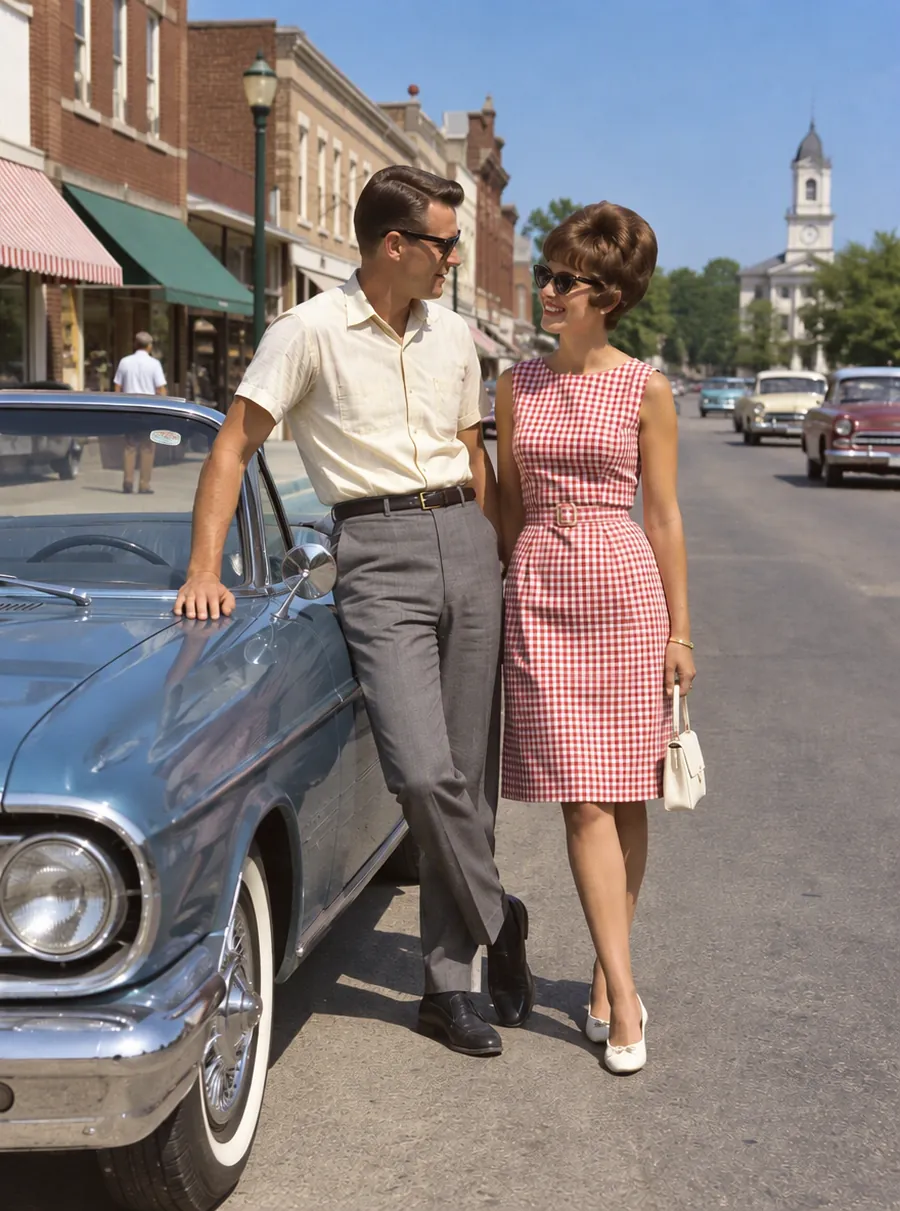
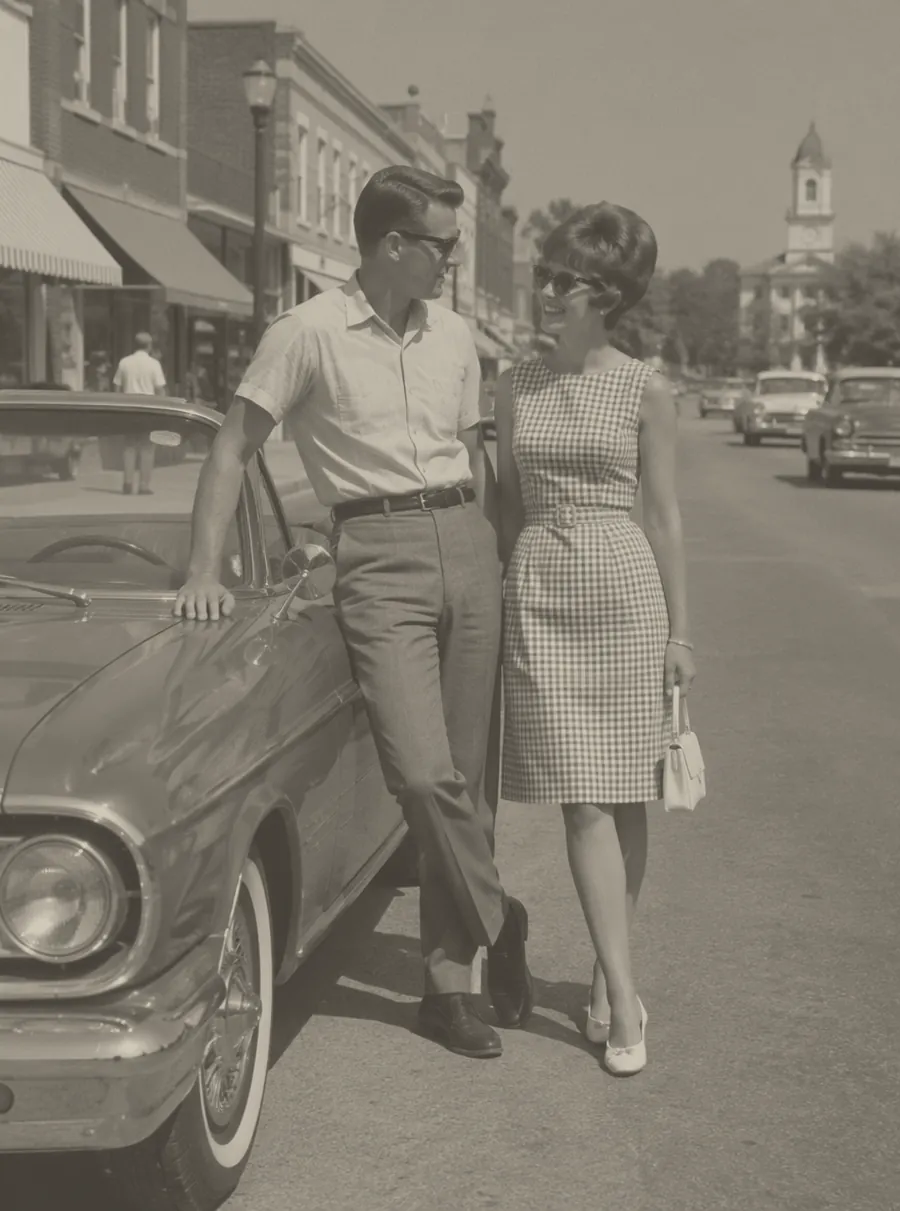
Prompt: “Colorize this black and white photo with natural colors”
How to colorize a black and white photo
Four steps, and the third is the one most people skip.
Start from a clean copy
Scan the print, or photograph it flat in even daylight. If it has scratches or tears, repair those first (more on that below), because a colorizer reads damage as part of the picture.
Upload and run a first pass
Add the file and begin with a plain request such as "colorize this photo with natural colors". Let the AI make its own choices before you correct anything.
Correct what it got wrong
Look at clothing, cars, walls and anything whose real color you know. Write a follow-up such as "make her dress dark green" and press Edit again, so the correction builds on the version you already like.
Keep the gray original too
Download the color version and store the black-and-white file beside it. The original is the record; the color copy is one reading of it.
What an image colorizer can and cannot know
A black-and-white photo stores brightness, not color. A red scarf and a green scarf can turn into exactly the same shade of gray. An image colorizer fills that gap with what is likely: skin looks like skin, a clear sky is blue, grass is green, a wool coat is probably brown or navy.
Guessing is easier for things whose color rarely varies, such as faces, sky and foliage. It is much harder for anything a person chose: the paint on a house, a car, the trim on a uniform, the pattern on a dress. The AI has no way of knowing those, so it picks something plausible and moves on.
That is where you come in. You may know that the family car was light blue or that your grandmother only wore green, and a sentence is enough to pass that on.
Steer the colors with a prompt
A one-button AI colorize photo tool hands you its guess and stops there. Here you can tell it what you know. Name the object first, then the color, and keep each run to one or two corrections.
| Prompt | What it does |
|---|---|
| Colorize this photo with natural, muted colors | A realistic first pass without oversaturated tones |
| Make her dress dark green | Changes one garment and leaves the rest alone |
| Keep the car red and the house white | Holds colors you know from family memory |
| Make the uniforms olive drab, not gray | Corrects military clothing the AI got wrong |
| Warmer skin tones, a little less orange | Fixes faces that came out too tanned or too pink |
| Make it look like a 1960s color print | Adds the soft, slightly faded palette of film from that era |
If the result is close but one area is off, describe only that area. Asking for everything again can shift colors you were already happy with.
Colorize family photos and historical images
Family photos
Family portraits are where people most want to colorize photos, and where you usually have the best information. Ask relatives before you start: hair color, eye color, a favorite coat, the car in the driveway. Put those details into the prompt and the result moves closer to the people as they were.
Historical images
For historical images, nobody alive may know what the colors were. Treat a colorized version as an interpretation, a way to make a scene feel present, not evidence of how it looked. When you publish one, say it was colorized with AI and show the original black-and-white photo next to it.
Archive and press photos
If a photo comes from a museum, library or newspaper archive, read its usage terms before you post the color version. Adding color does not change who owns the image or what the license allows.
Restore first, then colorize
Scratches, dust and fold lines confuse a colorizer. A white scratch across a jacket can become a pale stripe in the fabric, and a stain on a cheek can come out as a bruise-colored patch. Fix the damage first with photo restoration, check the clean gray copy, and only then add color.
Two passes mean two edits, but they also leave you with a repaired black-and-white version, which some families would rather frame than the color one.
Colorize photo online free, with no watermark
Anyone can begin with no sign-up: visitors receive three daily credits, registered free users receive five, and the balance resets every 24 hours rather than carrying over. Free results are 1K, meaning the long edge is close to 1024 pixels, and nothing is stamped on them.
That makes it easy to colorize photo free of charge for sharing, a slideshow or a small print. It accepts the same files you would scan or save: colorize image files in JPG, PNG or WebP. For a big print or a scan full of fine detail, paid subscribers get 2K and 4K results and can upload files up to 50 MB; see the pricing page for monthly plans and credit packs.
Unlike an AI photo colorizer that only offers one button, or an AI image colorizer that locks the result, this one lets you keep editing: recolor a single object, then adjust the next.
FAQ
How to colorize black and white photos when you don't know the colors?
Let the AI guess first, then correct only what you have a reason to change. For unknown details, ask for natural, muted colors, which avoids the oversaturated look that gives colorized pictures away. Check clothing and objects against letters, notes or other photos from the same day. Anything you still cannot confirm is safest left in neutral tones.
How to colorize a black and white photo that is scratched or torn?
Repair it before you add color. Run the scan through restoration with a prompt like "remove the scratches and repair the crease", check the clean result, then ask for color. Colorizing a damaged print tends to tint the damage as well, and a colored scratch is harder to clean up later than a plain white one.
How to colorize an old black and white photo when you remember the colors?
Put what you remember straight into the prompt, one object per phrase: "his car was light blue, her coat was camel, the front door was red". If the first run misses one, press Edit again with just that correction. A relative's memory of a favorite dress often matters more to the result than any guess the AI makes.
Colorize photo online free AI: what do you get without paying?
Daily credits, full color and clean downloads. Guests get 3 credits every day and free accounts get 5, and the count refreshes every 24 hours. Results are 1K with no watermark. If an edit fails, the credits are refunded automatically, so a failed attempt does not eat into your day. Larger output and bigger uploads come with paid plans.
How do I change black and white photo to color without losing the original?
Your original is never overwritten. The tool creates a new color version and leaves the uploaded file alone, so you can download both. Keep the gray scan as the master copy and treat the color one as a version you can redo later with a different prompt, for example when a relative remembers a detail you got wrong.
Best photo editor for recolor feature: can it change colors in a color photo?
Yes. The same prompt box that colorizes a gray photo can recolor parts of a color one: "make the sofa dark blue" or "turn the walls pale yellow". It edits by description, so name the object clearly and say which one if there are several. Recoloring one item at a time gives you the most control over the result.
Are AI colorized photos historically accurate?
Not reliably. The AI predicts colors from what is typical, so it can get a sky or a lawn right and a flag, a uniform or a storefront wrong. For historical images, present the color version as an interpretation, credit the original, and do not use it as evidence of what a place, person or event looked like.
Can I use colorized photos commercially?
You can, provided the original photo is yours or you have permission to use it. Colorized results from this tool are cleared for commercial use, so they can go into a book, a print you sell or a company history page. An archive or press photo may carry its own license, and adding color does not change that.
Related tools
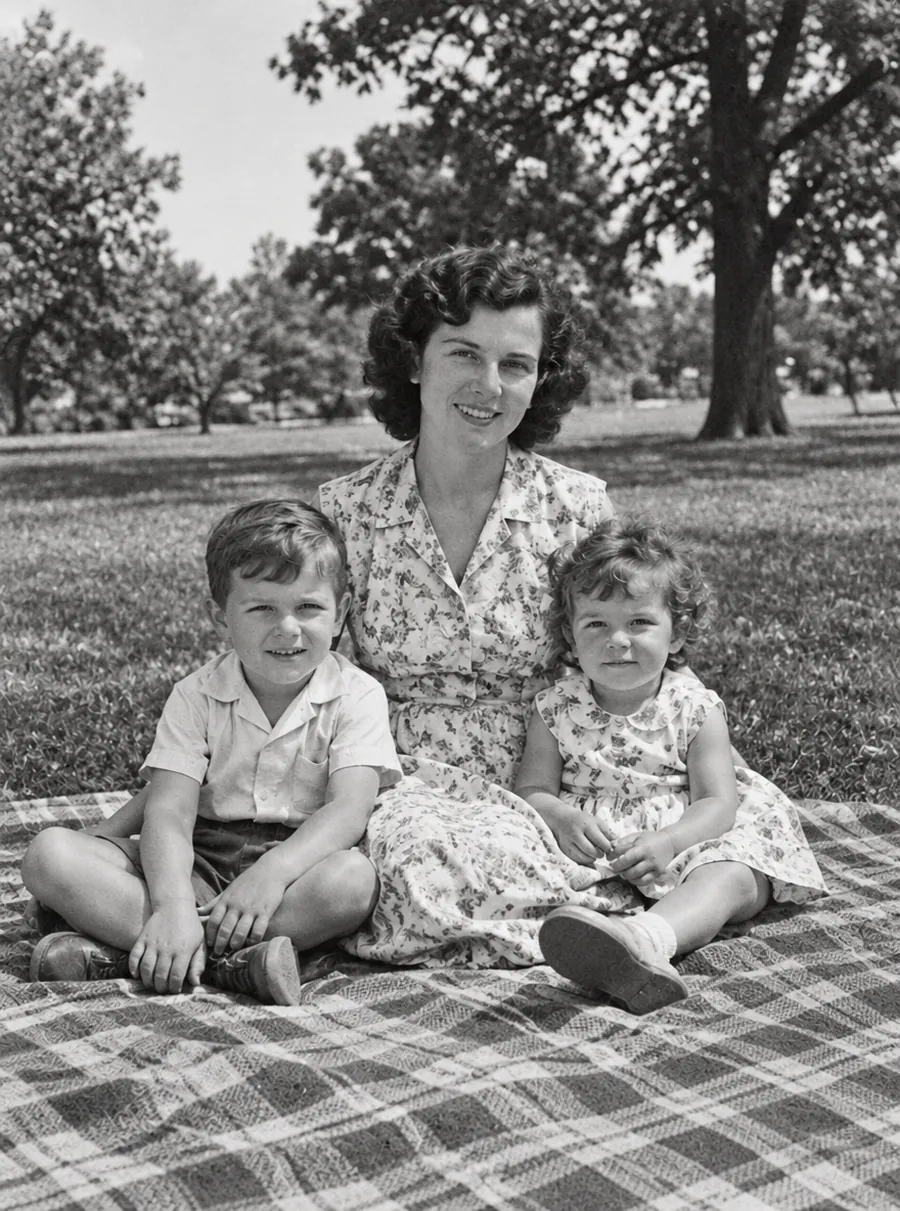
AI Photo Restoration for Old and Damaged Pictures
Restore old photos online with AI. Repair scratches, tears, fading and blur on scanned prints, then add color if you like. Free daily edits included.

Enhance Photo Quality with AI
Enhance photo quality online. Fix dull color, noise, soft detail and low light in one pass, then download a cleaner version of your picture. Free daily.
Make a Blurry Picture Clear Again
Unblur images online with AI. Fix motion blur, soft focus and camera shake, then download a sharper photo. Nothing to install, with free daily edits.

AI Photo Editor
Upload a photo and type what to change. Remove objects, swap backgrounds, fix blur and restore old photos with an AI image editor online. Free daily edits.