
Text remover · Captions · Date stamps
Erase Words and Captions from a Picture
Remove text from image files by saying which words should go, like "the date stamp in the bottom right corner". The AI clears the letters and rebuilds the surface underneath, whether that is sky, brick or fabric.
- No watermark on free edits
- Commercial use
- Edit again on any result
A standard 1K edit uses 1 credit · Failed edits are refunded
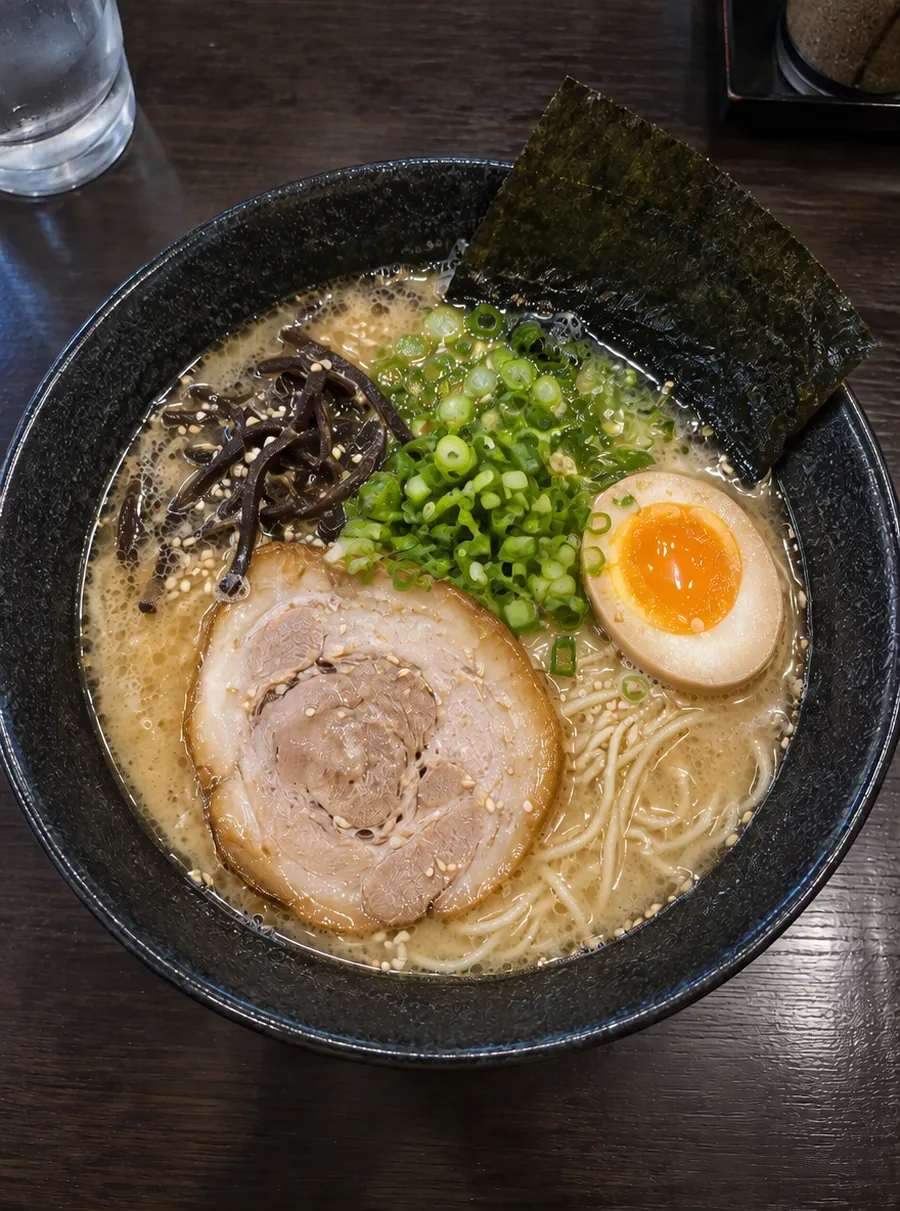
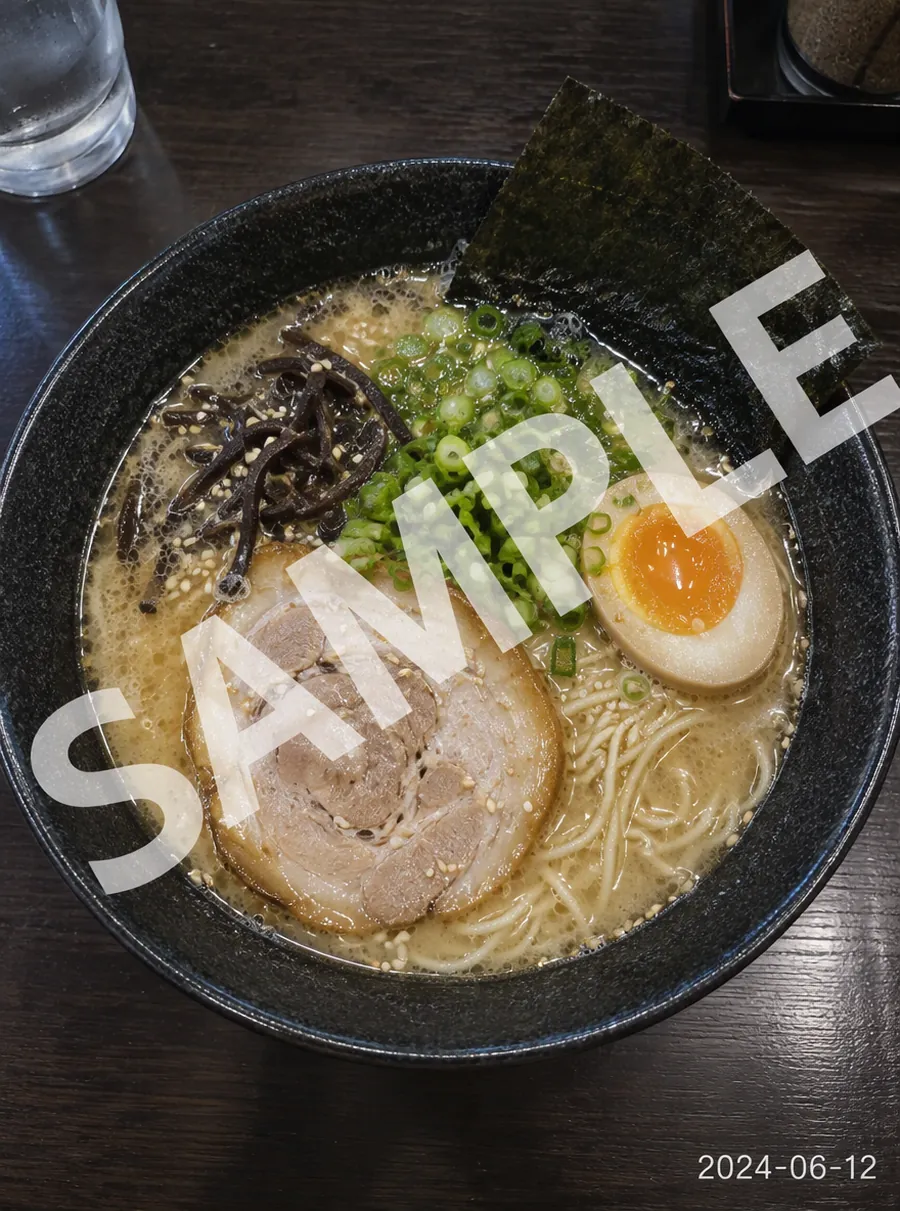
Prompt: “Remove the SAMPLE watermark and the date stamp”
How to remove text from an image
Upload the image with the words on it
Photos, screenshots and scanned prints all work as long as they are JPG, PNG or WebP. You can also copy an image and paste it into the page with Ctrl+V.
Quote or describe the text
The clearest prompt quotes the words: Remove the text "SALE 50%" from the window. When the writing is unreadable or long, describe it instead, for example the yellow date in the corner or the caption bar along the bottom.
Compare the cleared area
Look where the letters were. Plain surfaces such as sky, painted walls and paper tend to come back clean; patterned ones, like tiles or knitwear, are worth a closer look.
Go again for leftovers
If a faint outline or a stray punctuation mark survives, choose Edit again and name only the leftover. A short follow-up prompt is often simpler than rewriting the first one.
Captions, date stamps, labels and signs
Most requests to remove words from picture files fall into one of these groups.
- Captions and overlays. Meme text, story captions, subtitle bars and words someone typed across a photo.
- Date stamps. The orange digits that older film cameras and some phones printed into a corner.
- Labels and stickers. Price tags, name labels on jars, the barcode sticker on a box you want to photograph plainly.
- Signs in the scene. Shop signs, street names, posters and graffiti on a wall behind your subject.
- Stray words. Notes on a whiteboard, numbers on a jersey, the plate on a car before you post it.
Single characters count too: you can remove letters from image areas as small as a house number. Use the tool on pictures you own or have the right to edit.
Remove text without affecting the background
This is the part people worry about when they try any AI remove text from image tool, and with reason. When words sit on a plain wall, filling the gap is easy. When they cross a face, a pattern or a color gradient, the AI has to redraw whatever the letters covered.
- Say what should stay. End the prompt with "keep the background and colors the same".
- Describe the surface. "Remove the caption and continue the blue sky" tells the fill what to match.
- Work on small areas. One line or one sign per edit changes less of the picture at a time.
- Compare at full size. The goal is for everything beyond the lettering to stay untouched, but the AI does regenerate a portion of the picture, so check faces, edges and fine pattern before you use the result.
Size is the other thing to know. Free edits come back at 1K, roughly 1024 px on the long side. If you need the cleaned picture at a larger size for print, 2K and 4K output are on paid plans.
Replace text instead of erasing it
Most people arrive here to remove text from photo captions or signs, but sometimes the goal is different words, not blank space. Because every edit starts from a sentence, you can ask for new wording in the same spot, such as a sign that reads OPEN instead of CLOSED, or a banner with a new date. Short words in simple lettering are the safest bet. Read the result letter by letter before you print it, because spelling is the first thing to slip.
For broader changes than words, the main AI image editor takes any instruction you can describe.
Prompts you can copy
Each line below is ready to paste; change the quoted words or the position to fit your picture.
| Prompt | What it does |
|---|---|
| Remove the date stamp in the bottom right corner | Clears the orange date that old cameras printed on photos |
| Remove all the text from the poster, keep the picture | Strips the words and leaves the artwork behind |
| Remove the caption bar along the bottom | Takes out subtitle-style overlay text |
| Remove the street name from the sign and leave it blank | Gives you an empty sign with the same shape and color |
| Remove the price stickers from the jars | Cleans labels off products for a shop listing |
| Change the shop sign to say "BAKERY" | Swaps the words instead of erasing them |
Unlike an image text remover that wipes every word it detects, this photo text remover only touches the text you name, so you decide whether one line goes or every word does. People who need things rather than words gone, like a bin or a cable, will find more ideas on the object remover page. Strangers in the frame have their own guide on how to remove a person.
FAQ
How to remove text from a picture?
Upload the picture, write a sentence that quotes or describes the words, and run the edit. "Remove the white caption at the top" is enough for most images. The AI erases the lettering and fills in what should be behind it. If a trace is left, use Edit again on the result and point at the leftover.
How to remove words from a picture?
Name the words and where they sit, then say what the area should look like afterward. "Remove the words on the mug and keep it plain white" works better than "remove words". For several separate blocks of text, take them in separate prompts and inspect each patch before moving on.
How to remove text from image online free?
Use AI Image Edit in any web browser. You can start without signing up: guests get 3 free credits each day and a free account gets 5, refreshed every 24 hours. One standard removal costs 1 credit, and free results have no watermark. That means you can remove text from picture online free of charge for everyday images.
How to remove text from an image without blurring it?
Describe the surface under the letters so the fill has something to match, for example "continue the wooden table". Blur usually shows up when the AI has little to go on. Start from the sharpest copy you have, and if the patch still looks soft, use Edit again with a more specific description of the texture.
Does it work on screenshots and scanned documents?
Yes, as long as the file is a JPG, PNG or WebP. Screenshots with flat colored backgrounds are among the easier cases, since there is little texture to rebuild. For scanned pages, name the exact line or stamp to remove; asking to clear a whole page of writing gives the AI far more to redraw at once.
Can I use the cleaned image commercially?
Yes. Edits can be used commercially, including results made on the free plan. Think of this as an AI text remover from image files you already have the rights to: it changes pixels, not ownership. Before using a picture that contains someone else's work, make sure you have permission to alter and publish it.
Related tools
Erase Unwanted Objects from Any Photo
Remove unwanted objects from photos online. Describe what to erase, like wires, trash or a sign, and AI fills the gap to match the scene. Free daily.

Remove Unwanted People from Your Photos
Remove people from photos online: photobombers, tourists or an ex. Tell the AI who to erase and it rebuilds the background behind them. Free daily.
Make a Blurry Picture Clear Again
Unblur images online with AI. Fix motion blur, soft focus and camera shake, then download a sharper photo. Nothing to install, with free daily edits.

AI Photo Editor
Upload a photo and type what to change. Remove objects, swap backgrounds, fix blur and restore old photos with an AI image editor online. Free daily edits.
Clear the words, keep the picture
Upload the image, say which text should go, and download a version without it.