
Try a shade · Preview before the salon
See Yourself with a New Hair Color Before You Dye
Upload a selfie, name a shade like copper, ash blonde or pastel pink, and the AI hair color changer shows it on your own hair. Use the preview to settle on a color before you book an appointment or open a box of dye.
- Preview before you dye
- No watermark
- Commercial use
1 credit per shade at 1K · Free credits refresh every 24 hours
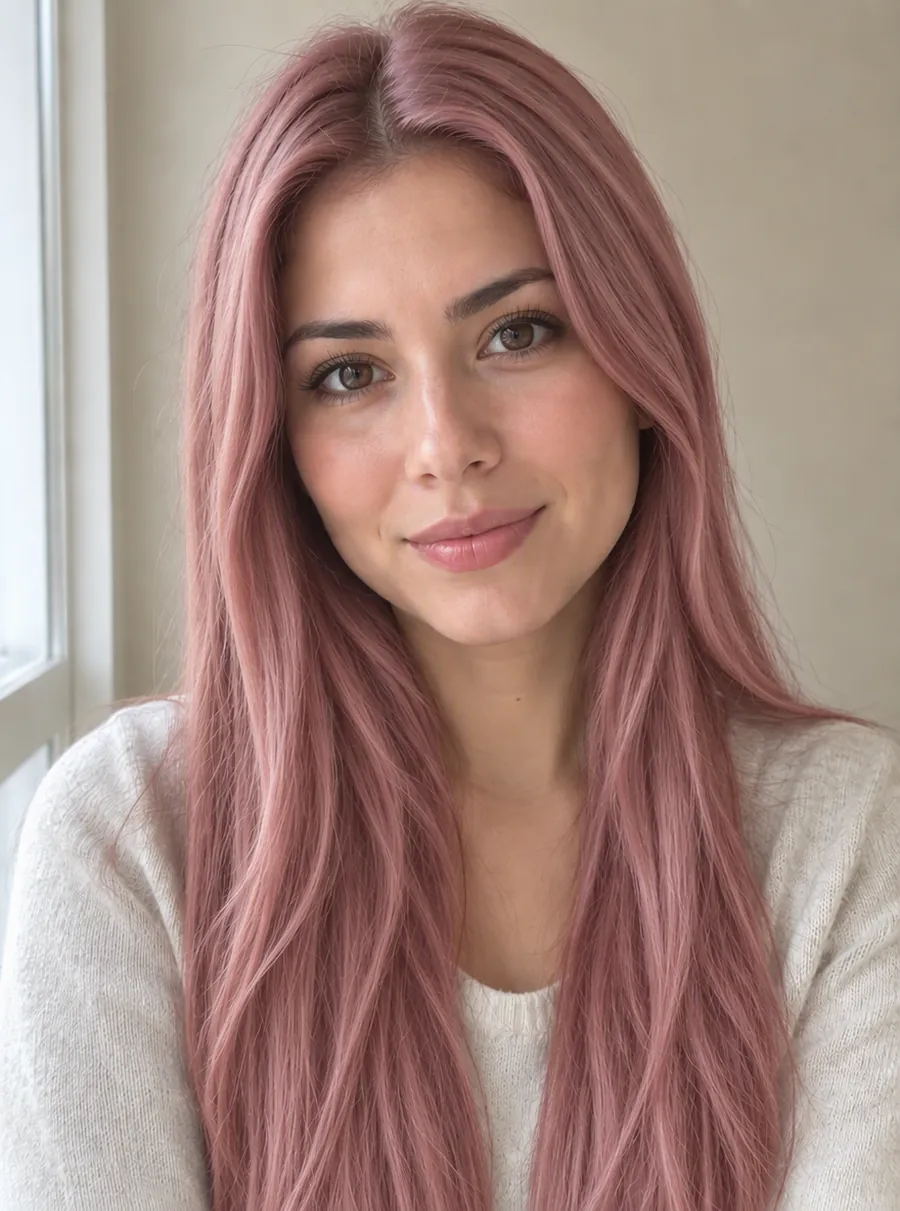
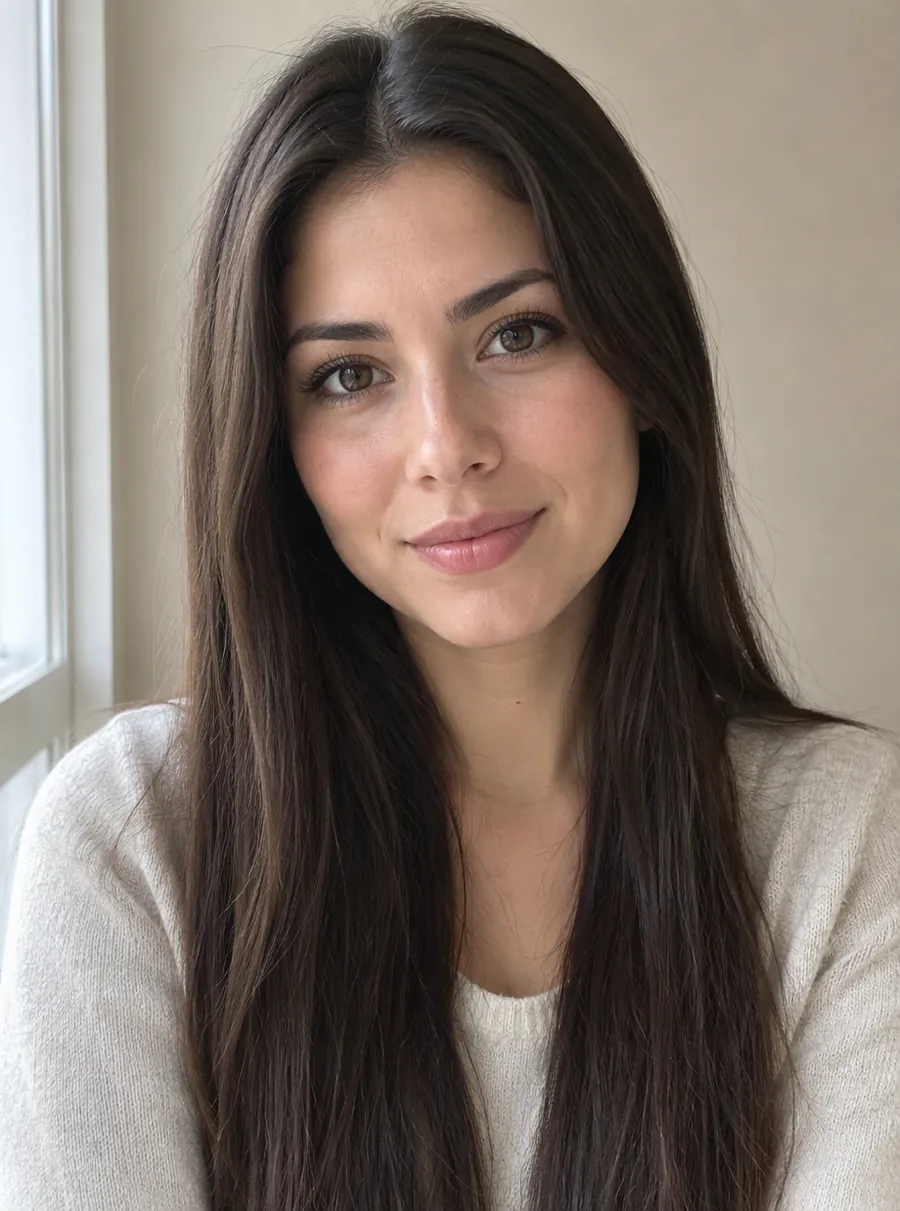
Prompt: “Change her hair color to a soft pastel rose pink”
How to try on a hair color
The quickest way to change hair color in photo previews is three short steps. No app to install, no filters to scroll through.
1. Pick a clear selfie
Face the camera in daylight, with your hair visible and nothing on your head. A photo with loose hair shows the new shade better than a tight bun. Skip beauty filters, since they already shift colors. JPG, PNG and WebP all upload, and Ctrl+V pastes a copied image.
2. Type the shade
Write the color the way you would describe it to a colorist: "copper red", "ash blonde with darker roots", "pastel pink all over". Add where it goes if it is not a full-head color, such as "balayage on the ends" or "face-framing highlights".
3. Compare, then try the next one
Look at the result beside your original. To test another shade, start again from the original selfie rather than the last result, so small changes don't pile up from one edit to the next. Each try is one standard edit, which costs one credit at 1K.
Shades to try: blonde, red, brown, pastel
Not sure where to start? Here are try on hair color ideas grouped the way salons usually talk about them.
Blonde
Honey, golden, ash, platinum and strawberry blonde look very different against the same skin. Warm words like "honey" and "golden" lean yellow; "ash" and "icy" lean cool and silvery. If you are dark-haired now, a blonde preview is the most useful one to see before committing to bleach.
Red and copper
Copper, ginger, auburn and cherry red cover a wide range from orange to deep wine. Copper and ginger read bright and warm; auburn sits closer to brown; cherry and burgundy lean purple. Red is the shade people most often wonder about, which makes it a good first test.
Brown and black
Chestnut, chocolate, mocha and espresso are the quieter options, and a subtle change can still freshen a face. Try "two shades darker" or "warm chocolate brown" against your current color. Blue-black and soft black are worth a preview too, because very dark shades can look heavier on screen than people expect.
Pastel and bold
Pastel pink, lavender, mint, teal and silver gray are the colors most worth previewing, since they usually need bleaching first and fade fast. Ask for "soft pastel" if you want a washed tone, or "vivid" for saturated color. Two-tone looks work as well: "pink ends, natural brown roots".
Get the shade right with a prompt
A virtual hair try on is only as good as the words you give it. These prompts are ready to paste; swap the shade for your own.
| Prompt | What it does |
|---|---|
| Change my hair to copper red, keep the haircut the same | A full warm copper from root to tip |
| Ash blonde hair with slightly darker roots | A lived-in, cool blonde |
| Pastel pink hair, even color from root to tip | An all-over pastel look |
| Add caramel balayage to the lower half of my hair | Soft, sun-lightened lengths |
| Dark chocolate brown hair with a glossy finish | A rich, deep brunette |
| Silver gray hair, cool tone, natural texture | A preview of going gray or silver |
Three things make a prompt land:
- Tone — warm, cool, ash, golden or neutral narrows the shade more than the color name alone.
- Placement — all over, roots, ends, highlights, balayage or a streak at the front.
- What to keep — adding "keep my haircut and face unchanged" tells the AI what to leave alone, though you should still check the result.
Unlike a hair color generator that chooses shades for you, this one only shows what you ask for, so the more specific the words, the closer the preview.
Show your stylist the result
A preview helps most at the consultation. Save the before and after side by side, and bring two or three versions: the shade you want, one a little lighter and one a little darker. Pointing at a picture of your own face is clearer than pointing at a model in a magazine.
What the picture can't tell you is how your real hair will take the color. Your starting shade, earlier dye or bleach, and how porous your hair is all change the outcome. Your colorist decides whether you need lightening first and how many sessions it will take. The preview also doesn't correspond to any brand's dye or box number; treat it as a mood reference, not a formula.
Screens differ, too. The same file can look warmer on a phone than on a laptop, so judge the shade on the device you'll show your stylist.
Want a polished profile photo once the new color is in? The headshot generator turns a casual selfie into a cleaner portrait. For any other change to the same picture, such as a new background or warmer lighting, describe it on the main photo editor.
A free hair color try on every day
This works as a virtual hair color try on free of charge for a few shades daily. Without an account you can test three colors a day; a free account gives you five. The count refreshes 24 hours later, and unused tries don't carry over. Free previews are 1K with no watermark, so you can send them to a friend or your stylist as they are. For a bigger print, a subscription unlocks 2K and 4K files, and the cheapest plan costs $9.99 a month.
FAQ
How do I change the color of hair in a photo?
Upload the photo, type the new shade, and run it. Be specific: "deep auburn hair, keep the cut and length" works better than "red hair". Use your own selfie, or a picture of someone who has agreed to it. One edit at 1K costs one credit, so a guest can test three shades in a day.
AI change hair color online free: how many tries do I get?
Three a day as a guest and five with a free account. Every shade you try is one standard edit, which uses one credit at 1K, and the count resets after 24 hours without rolling over. If an edit fails, its credit returns on its own. Free results carry no watermark, so you can share them right away.
Can it show a baby hair color change before and after?
No. It applies the shade you type; it can't forecast how a child's hair will turn out. Many kids' hair darkens or lightens over the first years on its own, and no photo edit can predict that. You can still try a playful color on a family photo for fun, as long as you treat it as a picture rather than a prediction.
Can the sun change your hair color?
Yes. Long hours in strong sunlight can gradually lighten hair, which is why summer often leaves golden or brassy streaks, especially on lighter shades. If you like that look, preview it on purpose: try "sun-kissed golden highlights around my face" on your selfie, then decide whether to ask a colorist for something similar.
Can your hair change color on its own?
Yes, slowly. Hair often darkens between childhood and adulthood, turns gray as pigment fades with age, and can lighten after a lot of sun. Those shifts take months or years. This tool shows the fast version: a shade you pick, on today's photo, so you can decide whether to dye before anything is permanent.
How to change hair color in photo files without an app?
Open this page in any browser, upload the picture and write the shade you want, such as "warm chestnut brown with soft caramel ends". Nothing to install, and a free 1K preview needs no account. If the color lands too bright or too dark, edit the result again with a nudge like "two shades darker".
Will my face stay the same?
The AI aims to keep your features, skin and haircut as they are and change only the hair color. It does rebuild the image, so small changes can show up around the hairline, eyebrows or background. Look at the result closely before you share it, and if something drifted, run the same prompt again on the original selfie.
Will the preview match a specific box dye or salon formula?
No. The preview shows a shade as the AI reads your words, not a brand's color chart or a product number. Real results depend on your starting color, your hair's condition and how long the dye is left on. Bring the image as a reference and let your colorist translate it into an actual formula.
Related tools
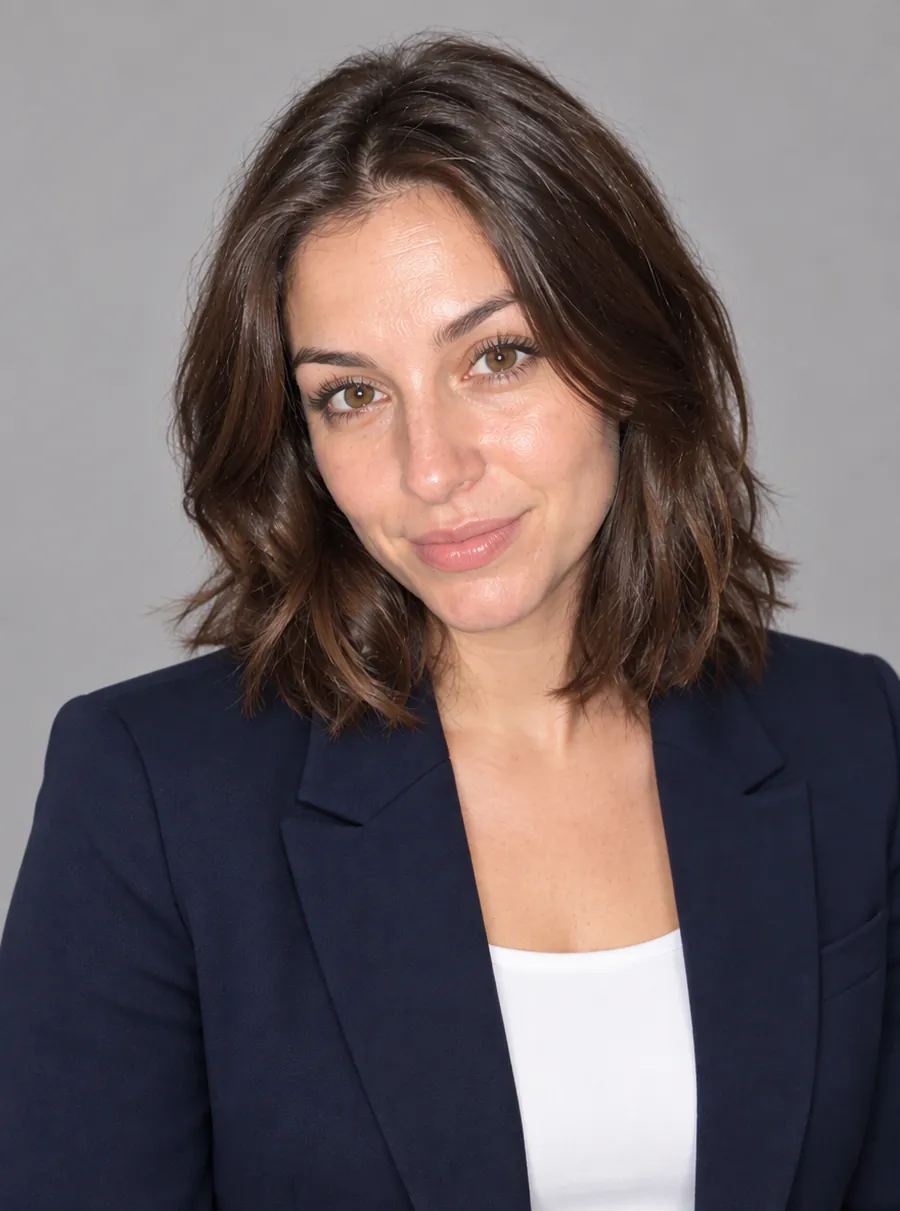
Turn a Selfie into a Professional Headshot
Turn a selfie into a professional headshot. Describe an outfit and a backdrop and AI restyles the photo around your features. For LinkedIn and resumes.

Change a Photo's Background by Describing the Scene
Change the background of a photo with a text prompt: plain white, a sunset beach or a modern office. AI builds the new scene around your subject.

Enhance Photo Quality with AI
Enhance photo quality online. Fix dull color, noise, soft detail and low light in one pass, then download a cleaner version of your picture. Free daily.
AI Photo Editor
Upload a photo and type what to change. Remove objects, swap backgrounds, fix blur and restore old photos with an AI image editor online. Free daily edits.
Find your next color before the appointment
One selfie, one shade name, and a much clearer idea of what to ask for.